
Lass0
Screen OCR for Mac
Lass0 lives in the macOS menu bar. Press Cmd+Shift+G, drag a region as you would for a screenshot, and the text is on your clipboard. Recognition uses Apple's Vision framework, so it is fast and nothing leaves your Mac.
A real example
A three column table of delivery services, times and prices, with a note underneath. Left: what was on screen. Right: what Lass0 produced, on a Mac, with no edits. Switch the tabs to see each format.
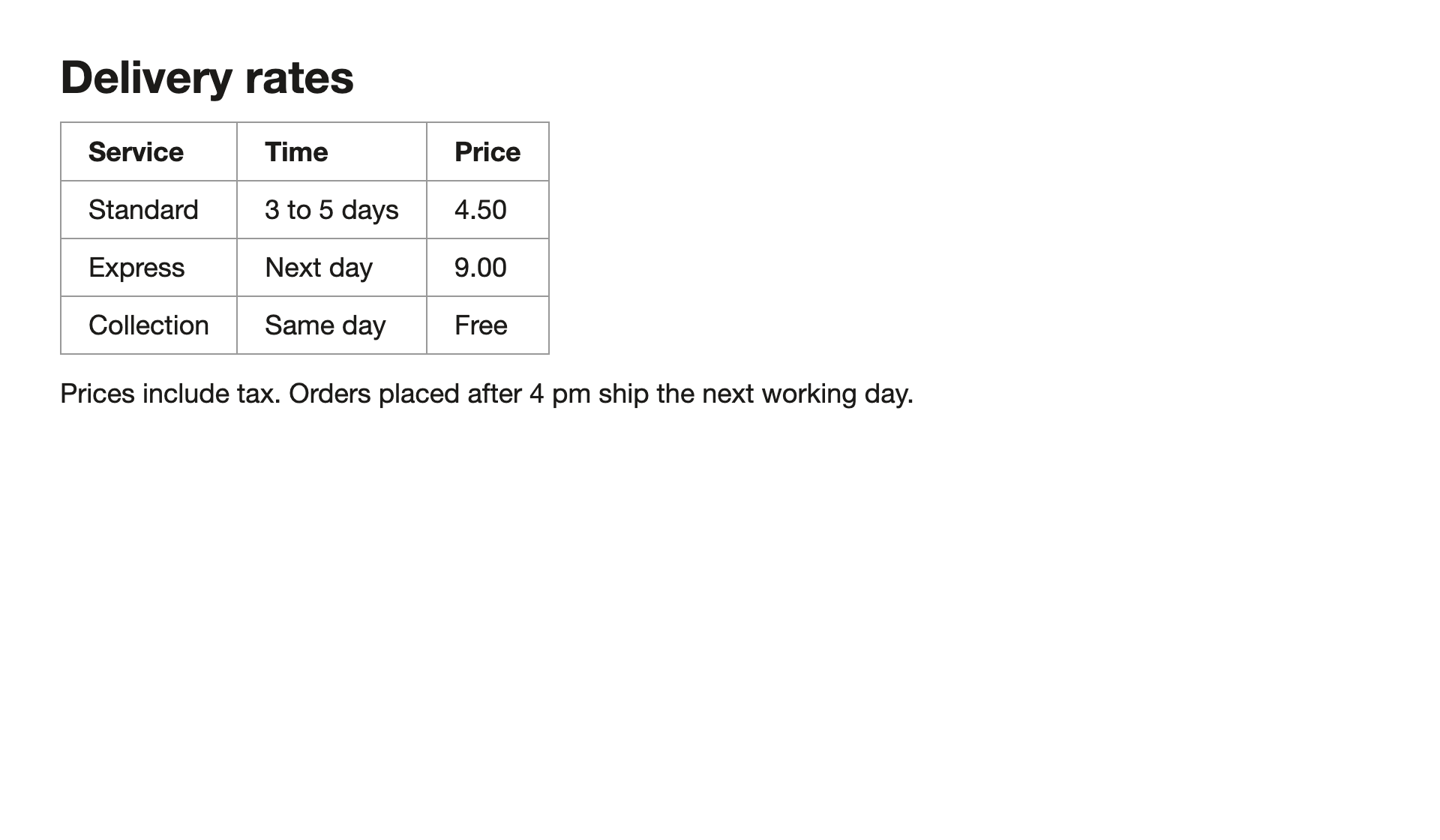
Delivery rates

┌────────────┬─────────────┬───────┐
│ Service    │ Time        │ Price │
├────────────┼─────────────┼───────┤
│ Standard   │ 3 to 5 days │ 4.50  │
├────────────┼─────────────┼───────┤
│ Express    │ Next day    │ 9.00  │
├────────────┼─────────────┼───────┤
│ Collection │ Same day    │ Free  │
└────────────┴─────────────┴───────┘

Prices include tax. Orders placed after 4 pm ship the next working day.
How to do it
Install Lass0 and allow Screen Recording when macOS asks.
Press Cmd+Shift+G and drag a region.
Choose Visual to keep the layout in a monospace grid, or any other format.
Visual layout reproduces how the page was arranged, with tables drawn in box characters, which is useful for pasting into terminals, code comments and plain text emails.
Questions
Which Macs does it support?
Apple silicon and Intel, macOS 12 or later, in one universal download.
How is this different from Live Text?
Live Text selects words in images that macOS recognises. Lass0 works on any region of the screen, structures headings, lists and tables, offers four output formats, and keeps a timeline you can search.
Does the text leave my computer?
No. Lass0 reads the region with the text recognition built into your operating system and structures it with a small model that runs on your device. The only network calls are the one-off model download, licence checks for Pro, error codes and feedback you choose to send. The privacy page lists every one.
Is it free?
The free plan covers 100 plain text copies a week, with smaller allowances for rich text, Markdown and Visual layout. Pro is $6 a month or $48 a year and removes the limits, and adds copying from the timeline, Collect sessions and the three cleaners that rewrite text.
More
Docs · Pricing · Privacy · Copy text from an image · Screenshot to text, straight to your clipboard · Copy text from anywhere on your screen