
For Mac, Windows and Linux
Copy the text you can’t select.
Press a shortcut and drag over anything on screen. The words land on your clipboard with their headings, lists and tables intact, and none of it leaves your computer.
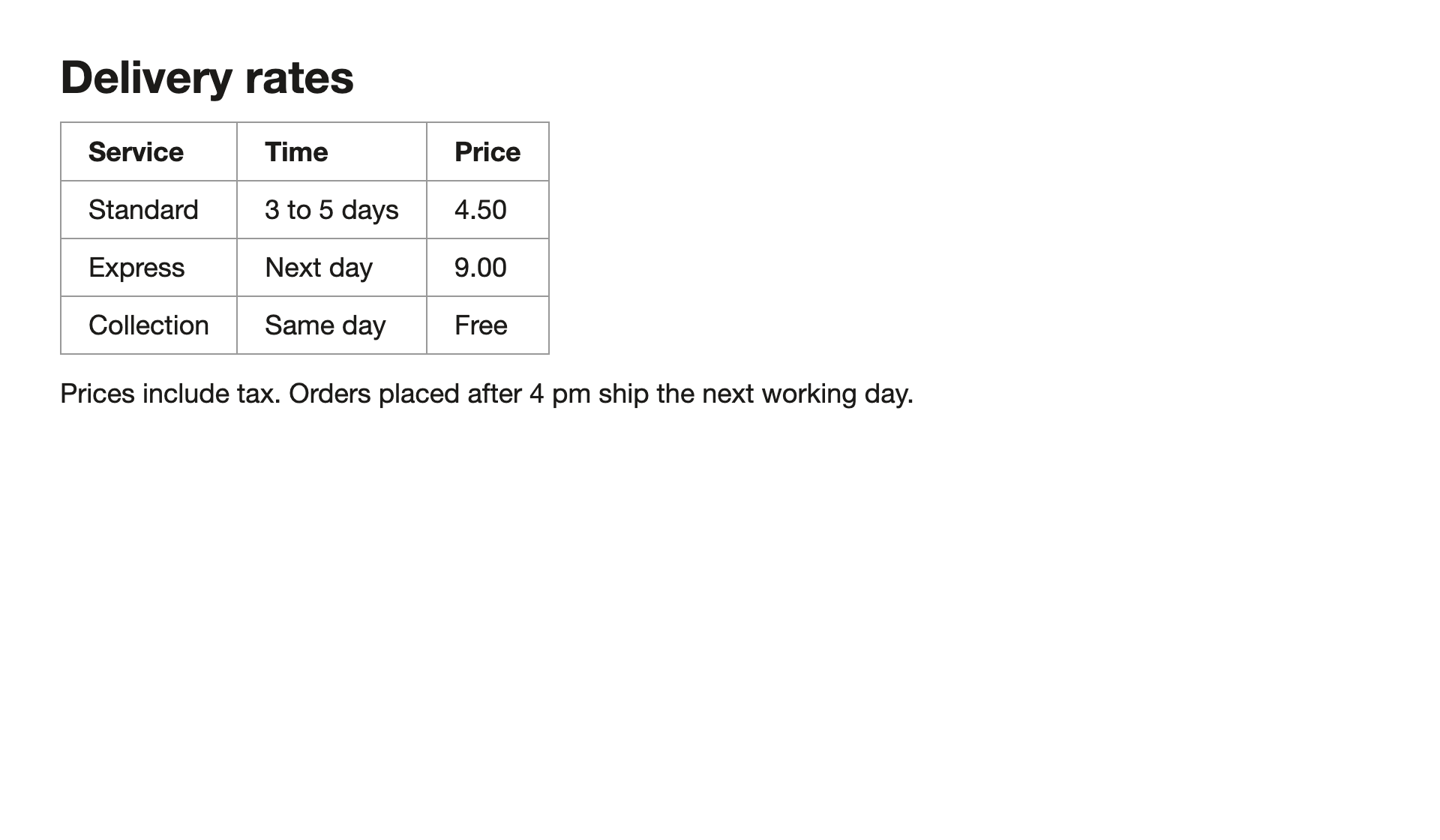
## Delivery rates

| Service | Time | Price |
| --- | --- | --- |
| Standard | 3 to 5 days | 4.50 |
| Express | Next day | 9.00 |
| Collection | Same day | Free |

Prices include tax. Orders placed after 4 pm ship the next working day.
Drag across the window, or press ⌘⇧G
Real output from Lass0 0.1 on macOS. Copy it and paste it somewhere to check.
Paste it where it’s going
One capture, four formats. Choose the one that suits the app you’re pasting into, or set a default and forget about it.
## Delivery rates

| Service | Time | Price |
| --- | --- | --- |
| Standard | 3 to 5 days | 4.50 |
| Express | Next day | 9.00 |
| Collection | Same day | Free |

Prices include tax. Orders placed after 4 pm ship the next working day.
Whole documents, too
Drop a file on the Documents window and the text comes out with its headings, lists and tables, ready to paste as plain text, rich text, Markdown or Visual. Word, PowerPoint, Markdown and rich text keep the structure they were written with. PDFs and plain text are sorted by the same on-device model, page by page, so a table that runs over a page break stays one table.
- Reading 2 pages
- Sorting headings, lists and tables
- Ready to copy as Markdown
Drop a file here
- Word
- PowerPoint
- Markdown
- Plain text
- Rich text
The text is the app’s real output for this 2 page PDF. It took 53 seconds on an Apple M1 Pro MacBook, which the demo skips.
Clean it before you paste it
Switch on a cleaner and the text is changed before it reaches your clipboard. Hide the keys and names before it goes in a ticket, swap your company for a generic one before it goes in a slide. Hiding secrets and personal details is free, and the three that rewrite are Pro. The app keeps the original next to the cleaned version, so you can always switch back.
Northwind billing handover

Prepared by Person A ([email], [phone]) for Person B, who takes over the billing service on 3 November.

Where things stand

In today's fast-paced landscape, it's important to note that the migration to the new invoicing engine is a testament to the team's dedication. We moved 1,240 Contoso accounts last month, and the remaining 310 move in the first week of December.

- Refunds over £500 still need sign-off from Person C
- The Stripe key in the staging vault is [API key] and must be rotated
- Monthly close runs on the second working day

Accounts to watch

Customer	Plan	Monthly	Owner
Contoso Retail	Enterprise	£18,400	Person C
Fabrikam Health	Growth	£6,250	Person D
Adatum Freight	Growth	£4,980	Person D

Running it locally

export DATABASE_URL=[connection string]
npm run invoices -- --dry-run

If anything looks wrong during the December run, call me on [phone] before touching the ledger.
Every combination was run by the app on the PDF above, and none was edited. Highlights mark the words that changed. Times are from an Apple M1 Pro MacBook: the rewriting cleaners run the model over every passage and check each answer, so they take a minute or two on a document this size.
Screens that won’t let you select
Slides in a paused video, a locked dialog, a table in a screenshot. These five came straight out of the app, unedited. The code one has two misread brackets. We left them in.
- Table
- Notice
- Dialog
- Video
- Code
Your screen stays on your computer
There’s no upload step and no server reading your captures. The model runs on your machine and isn’t allowed to change a word. If it tries, nothing is copied.
- ScreenThe region you drag
- RecognitionApple Vision, Windows OCR or Tesseract
- Structureqwen3-4b-instruct-2507, running locally
- ClipboardText only. The pixels are dropped
All that ever crosses the line
- Model downloadFirst launch, once
- Pro activationWhen you activate Pro
- Licence renewalWhile Pro is active, when online
- Error codeWhen the app hits an error
- Feedback you sendOnly if you press Send in the feedback form
Everything you’ve read, kept as text
The timeline keeps your captures on this device for as long as you choose, never the pixels. Anyone can search it. Pro can copy back out of it, a few captures at a time. Try ticking some.
- Storage is almost full Your account has used 14.2 GB of 15 GB. New uploads will pause when the limit is reached. What you can do 1. Delete l
- Three habits of calm teams 1. Write decisions down 2. Review in small batches 3. Retire work that no longer matters Lecture 4 of 12
- Retry helper async function retry(fn, tries = 3) { for (let i = 0; i < tries; i++) ‹ try { return await fn(); › catch (err) { if (i === trie
- Delivery rates Service Time Price Standard 3 to 5 days 4.50 Express Next day 9.00 Collection Same day Free Prices include tax. Orders placed
- Community Garden Notice Plots are allocated on a first come first served basis. Please collect your key from the parish office before the fi
Storage is almost full

Your account has used 14.2 GB of 15 GB. New uploads will pause when the limit is reached.

What you can do

1. Delete large files you no longer need
2. Empty the trash
3. Upgrade your plan

Three habits of calm teams

1. Write decisions down
2. Review in small batches
3. Retire work that no longer matters

Lecture 4 of 12
Free for most people
The free plan is enough for a few captures a day. Pro is for when you live in it.
For the odd table, slide or error message.
- Plain text100 a week
- Rich text10 a week
- Markdown10 a week
- Visual layout1 a week
- DocumentsCount as copies
- Hide secrets and personal details
For people who copy off the screen every day.
- Copy from your timeline
- Copy several captures at once
- Collect: many regions, one document
- All five cleaners, including rewording
- No weekly limits
Questions
Does anything leave my computer?
No screen content, text or image leaves your device. Your operating system's own text recognition reads the pixels and a small model on your machine sorts the lines. The privacy page lists the few network calls the app does make.
What does the model actually do?
It groups the recognised lines into headings, paragraphs, lists and tables. It isn't allowed to add, change or reword anything, and a check throws the result away if it does. If that happens twice, nothing is copied and you're told why. The only time it rewrites is when you switch on a cleaner that asks it to.
Which documents can it read?
PDF, Word, PowerPoint, Markdown, Plain text, Rich text. Scanned PDF pages go through the same on-device text recognition as a screen capture. Older .doc and .ppt files need saving as .docx or .pptx first.
Do cleaners send my text anywhere?
No. Secrets and personal details are found by rules on your machine, and the rewriting cleaners use the same on-device model. You keep the original too, and can switch back to it from the result or the timeline.
What do I need?
A Mac on macOS 12 or later, a Windows 10 or 11 PC, or a Linux desktop. The model needs about 2.5 GB of disk and downloads once.
What does Pro add?
Copying from the timeline, one capture or several joined by a blank line. Collect sessions that gather several regions into one document. The three cleaners that rewrite text. And no weekly limits.
Can I cancel?
Any time, from your account page. Pro keeps working until the end of the period you paid for.